

If you’re a PC gamer, you’ve probably seen tools claiming to instantly boost FPS with just one click — and Driver Booster’s Game Boost is one of them. It promises smoother gameplay by stopping processes, optimizing system resources, and improving overall performance. But does it really work? To find out, I tested this feature to see if there’s any real impact. In this article, I’ll break down my honest experience, the results I observed, and whether Game Boost is worth using in 2026. Ensure to read this guide till the end.
Part 1: What is Driver Booster Game Boost?
IObit Driver Booster is an all-in-one driver updater that allows users to update all PC drivers with a single click. The program offers a wide range of features, including Game Boost. Game Boost is a built-in feature in Driver Booster designed to optimize your PC specifically for gaming. It automatically detects and disables unnecessary background processes, stops non-essential Windows services, and frees up RAM so your system can allocate more resources to the game you’re playing. This helps reduce system load and can lead to smoother gameplay, fewer shutters, and more stable performance during gaming sessions.
Key Features of Driver Booster
- Driver Booster Game Boost: Game Boost is a one-click optimization feature that improves your PC’s gaming performance by minimizing background interference.
- Driver Updater: Updates all outdated PC drivers with a single click — no manual effort required.
- Wide Range of Drivers: The program supports 18 million drivers, including graphics cards, sound cards, network adapters, printers, and more.
- Dual Certification: All the drivers available in this program go through strict verification processes and are WHQL and IObit Test certified.
- Intuitive Interface: Driver Booster offers an easy-to-use interface, which is ideal for non-tech and beginner users.
Part 2: Game Ready vs Generic Drivers: Which One Boosts Performance?
When it comes to gaming performance, the difference between Game Ready drivers and generic Windows drivers is more significant than it might seem. Below, I have mentioned a comparison table that will help you see the difference.
| Features | Game Ready Drivers | Generic Windows Drivers |
| Source | GPU manufacturers (NVIDIA, AMD) | Microsoft |
| Purpose | Enhance Gaming Performance | Stability and Compatibility |
| Performance | High FPS | Basic Performance |
| Game Optimization | Support for new games | Basic compatibility |
| Best For | Gamers | Cacual Users |
Part 3: Testing the “Game Boost” mode: Does it actually free up RAM?
When I first enabled the “Game Boost” mode in Driver Booster, I was curious to see whether it would genuinely free up RAM. Before turning on Game Boost, my system was using around 65 – 75% RAM at idle. Once I activated the feature, RAM usage dropped by 8 – 12%, which made my gameplay feel smoother and more responsive. Here are the steps to enable “Game Boost” mode on Driver Booster:
- First, I downloaded the latest version of Driver Booster from the official website and installed it on my PC.
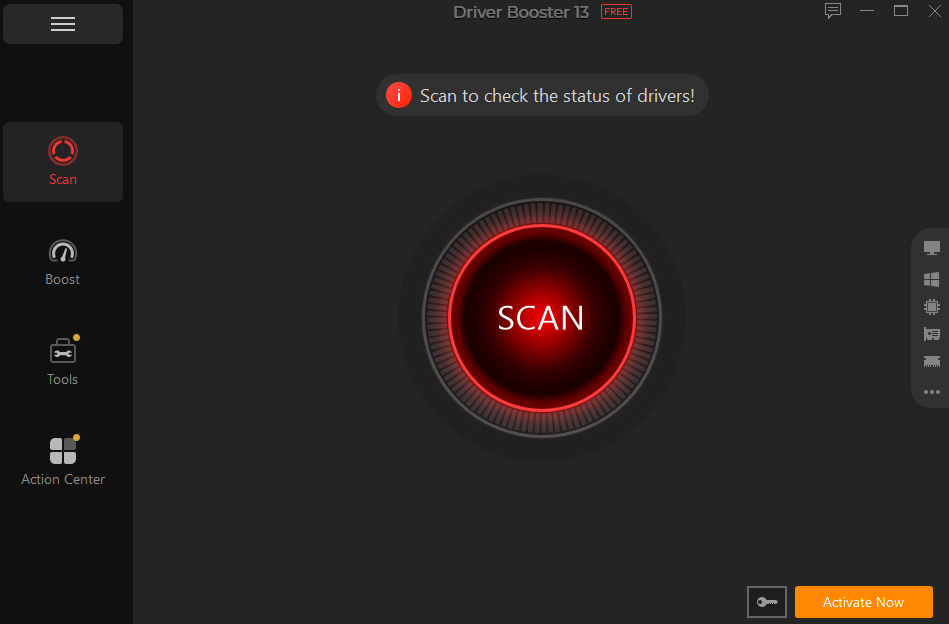
- After launching the program, I navigated to the “Boost” option in the left panel.
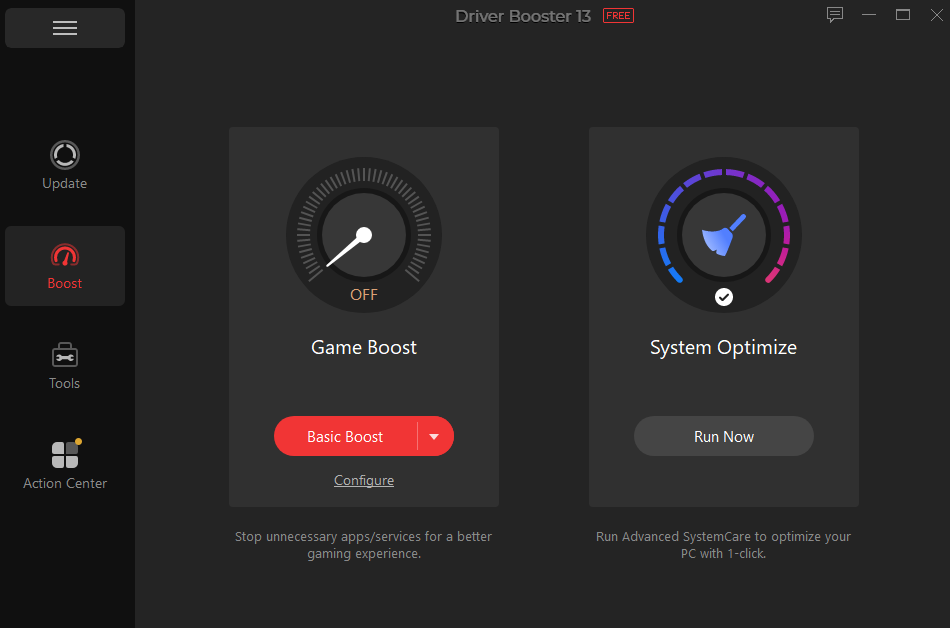
- From there, I selected “Basic Boost” to activate Game Boost mode.
Part 4: Game Component Updates (DirectX, OpenAL): The Missing Link for Older Games
One thing I noticed while testing Driver Booster is how useful its game component updates can be, especially for older titles. These components include things like DirectX, OpenAL, and other essential runtime libraries that many older games rely on to function properly. The standout part of Driver Booster is that it automatically detects missing or outdated components and installs them automatically. This helps solve issues like crashes, missing audio, black screen, and more.
I also noticed that some games that previously refused to launch started working after these components were updated. In a few cases, performance didn’t change much in terms of FPS, but stability improved noticeably — fewer crashes during loading screens and smoother transitions between in-game menus.
Part 5: FAQs Related to Driver Booster’s Game Boost
● What is Driver Booster 13?
Driver Booster 13 is the latest version of the program, which includes amazing features, such as Driver Updater, Game Boost, Offline Driver Updater, and more.
● Is Driver Booster’s Game Boost Free to Use?
Yes, the basic version of the Game Boost is free to use. However, during my testing, I also noticed that the free version has some limitations.
Final Thoughts
If you want my honest suggestion, I would definitely recommend trying Driver Booster’s Game Boost, especially if you’re looking for a quick and simple way to improve gaming performance. In my testing, it did help make gameplay smoother by reducing background load and freeing up system resources.
