
Scroll through Instagram for five minutes and you will notice something fast. The visuals matter, of course. But the audio often does the real heavy lifting. A trending sound can make a Reel feel current. A clean voiceover can turn a simple clip into something useful. Even a soft background track can change how people remember a brand.
That is why Instagram Reels audio is more important than many people realize. It is not just a nice extra. It shapes mood, strengthens identity, and helps content feel connected to the culture already happening inside the app.
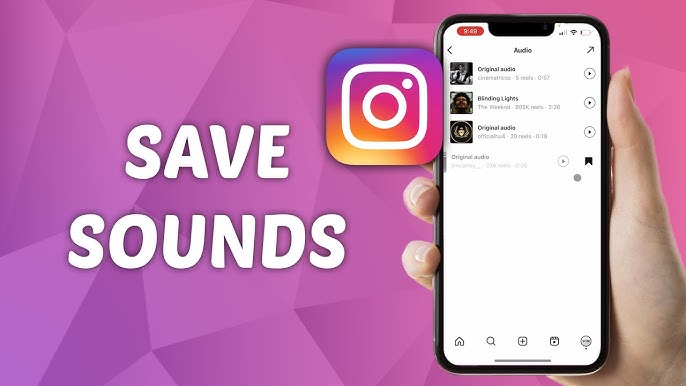
The problem is simple. Instagram lets you save sounds inside the platform, but it does not make it easy to download them directly to your device as a usable file. If you are a creator, marketer, freelancer, or business owner, that can slow everything down. You find the perfect sound, then get stuck figuring out how to actually keep it, organize it, and reuse it.
This guide breaks that process down in a practical way. You will learn how to download Instagram audio, what methods are easiest, and how to turn saved sounds into something useful for your content workflow.
Why Instagram Reels Audio Matters More Than You Think
A lot of people treat audio like decoration. That is a mistake.
On Reels, sound is often the first cue that tells viewers what they are about to watch. Is this funny? Helpful? Fast paced? Relaxed? Emotional? The audio answers that before your caption ever gets read.
For brands and creators, that creates a real opportunity. When you consistently choose the right sound, your content starts to feel more recognizable. It becomes easier for viewers to connect your tone, your message, and your visual style.
Here is what strong Reels audio can help you do:
- Grab attention in the first seconds
- Match current trends without forcing them
- Support storytelling with better pacing
- Build a more consistent brand personality
- Repurpose content across short form platforms
Think about it this way. You already care about fonts, colors, thumbnails, and editing style. Audio deserves the same level of attention. It is part of the package.
Can You Save Instagram Reels Audio Directly From Instagram?
Not really, at least not in the way most people want.
Instagram lets you save audio inside the app so you can come back to it later when making your own Reel. That is useful for casual use, but it does not solve everything. You still do not get an MP3 or other audio file on your phone or laptop. So if you want to archive the sound, edit it outside Instagram, share it with a team, or use it as part of a broader content workflow, you need another method.
That is why people search for terms like save audio from Instagram Reels, Instagram Reel sound download, and convert Instagram video to MP3. They are trying to close a gap that Instagram leaves open.
Method 1: Use an Online Reels Audio Downloader
For most people, this is the simplest option.
An online Reels audio downloader usually works the same way every time. You copy the Reel link, paste it into indownloader.app Reels downloader, and download the extracted sound. No software installation. No complicated setup. Just quick access.
The usual process looks like this:
- Open the Instagram Reel you want
- Tap the share icon and copy the link
- Visit an audio downloader tool in your browser
- Paste the link into the input field
- Download the audio file to your device
This method is popular because it is fast and flexible. It works well for creators who want to save inspiration on the go, social media managers building a content bank, or editors who need audio references for future cuts.
If your goal is speed, this is usually the most efficient way to download Instagram audio without turning it into a project.
Method 2: Download the Reel First, Then Extract the Sound
Sometimes you may not find a tool that pulls audio only. In that case, downloading the Reel as a video first is a solid backup plan.
Once you have the MP4 file, you can use editing software or a simple online converter to export only the audio. This is especially useful if you already work with tools like Premiere Pro, DaVinci Resolve, CapCut, or similar editors.
This approach makes sense when:
- You want both the video and the sound
- You are already editing content on desktop
- You need more control over audio trimming
- You want to convert Instagram video to MP3 yourself
It is one extra step, but it gives you more flexibility. For some teams, that matters more than convenience.
Method 3: Use a Browser Extension on Desktop
If most of your content work happens on a laptop, a browser extension can save time.
Some extensions add a direct download button while you browse Instagram on desktop. That reduces the usual copy and paste routine. Instead of moving between tabs, you can grab the file while you are already reviewing Reels, researching competitors, or collecting creative references.
This works well for people who deal with volume. A solo creator might not care about shaving off a few seconds. A social team downloading multiple references every week probably will.
Small friction adds up. That is true in content operations just as much as anywhere else.
How to Use Downloaded Reels Audio in a Smarter Way
Saving files is easy. Using them well is where the real advantage appears.
A random folder full of unnamed MP3 files will not help much. A clean, intentional audio library will. The difference is organization and purpose.
Try this instead:
Build a small sound library
Keep a folder of audio that fits your style. Name the files clearly. Think in simple labels like upbeat product clip, calm explainer background, trend sound for hooks, or voiceover reference.
Group sounds by content goal
Not every sound serves the same purpose. Some work best for attention grabbing intros. Others fit tutorials, testimonials, or product demos. Categorizing them helps you choose faster later.
Use repeatable audio styles
You do not need a new sound identity every week. In fact, repeating a certain feel can help audiences recognize your content faster. Familiarity builds brand memory.
Share audio across your workflow
If you work with a designer, video editor, or agency, store your files in a shared folder. That keeps everyone aligned and avoids wasting time sending links back and forth.
If you also work with Facebook videos or Reels, fvdownloader.net Facebook downloader can help keep that content organized alongside your Instagram assets in the same workflow.
This is where Instagram Reels audio stops being a cool trend and starts becoming a usable asset.
A Quick Word About Rights and Responsible Use
Just because you can extract audio from a public Reel does not always mean you should use it in every context. Some sounds are fine for inspiration, internal reference, or casual testing. Others may involve copyrighted music or usage restrictions, especially in paid campaigns or branded commercial work.
So before you reuse anything at scale, ask a basic question: what is this audio being used for?
If the answer is a paid advertisement or broad commercial use, it is smarter to look at licensed music or royalty free alternatives. If the answer is research, creative reference, or exploring what style works for your audience, your risk is lower, but you should still stay mindful.
A good workflow is not just efficient. It is also responsible.
What Makes a Good Instagram Audio Workflow?
A good system is not complicated. It is just consistent.
Here is what that usually includes:
- A quick way to save audio from Instagram Reels
- A clear naming system for downloaded files
- A shared folder or archive for future use
- A habit of matching sound to content purpose
- A basic awareness of licensing and usage limits
That is it. You do not need a massive database. You need a process that makes good audio easier to find and easier to use.
Final Thoughts
Instagram is a fast platform. Attention moves quickly, trends shift daily, and content gets judged in seconds. In that environment, audio plays a bigger role than most brands give it credit for.
When you treat Instagram Reels audio as part of your content system, you make better decisions. You stop hunting for the perfect sound at the last second. You start building a library, a rhythm, and a repeatable creative process.
That is the real value here. Not just downloading files. Not just saving a catchy clip. Building a smarter way to work.
If you want better Reels, better short form content, and a smoother publishing workflow, start paying closer attention to the audio. It is one of the easiest upgrades you can make, and one of the most overlooked.
